For Technicians
For Service Advisors
For Shop Owners
Pricing
Book a Demo →
Product Update
Six new features. All built to put more money in your RO.
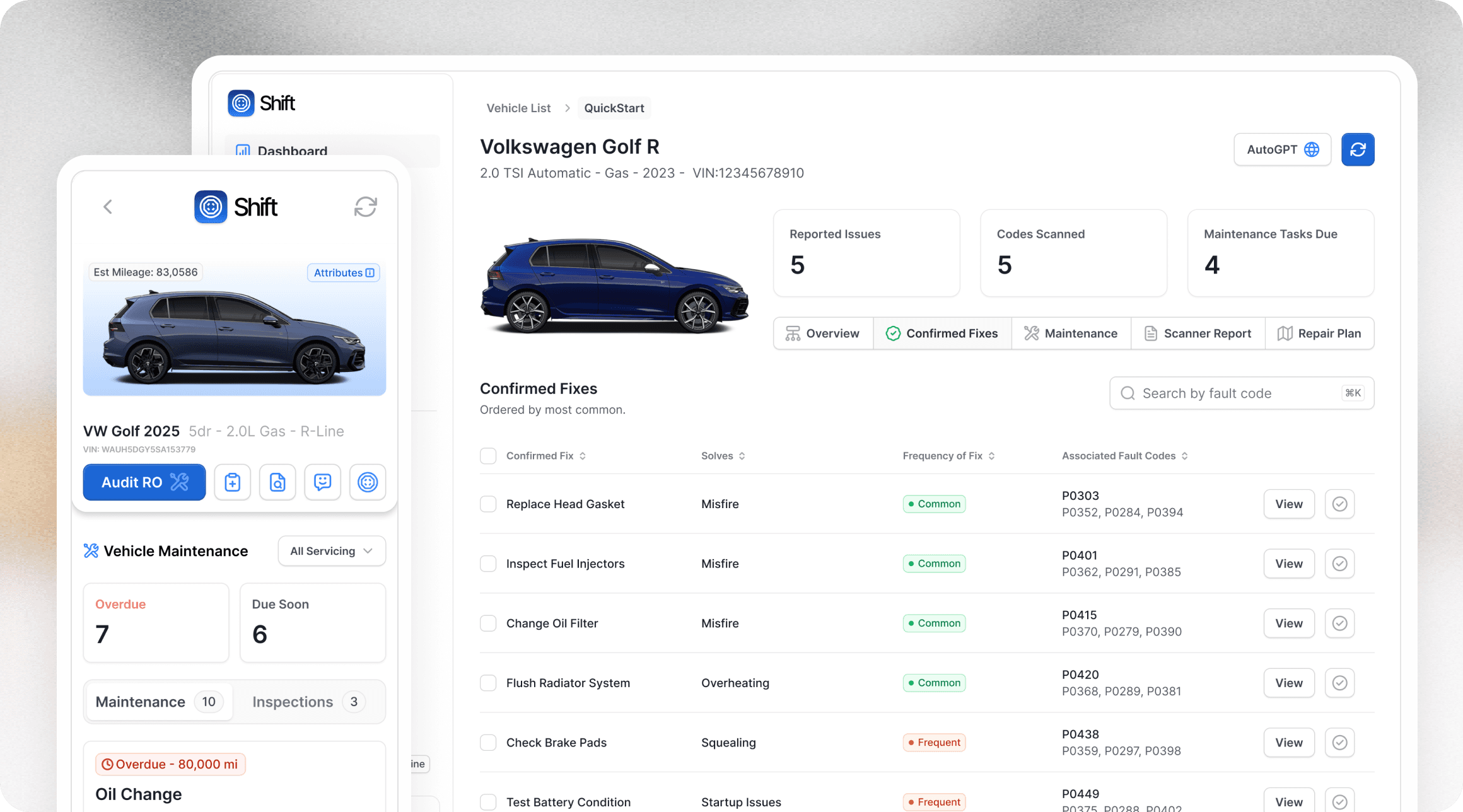
What's new in Shift
Six new features.
All built to simplify workflows
decrease loss, and increase margins.
From team communication to scan tool integration, this release touches every part of your workflow. Here's what just shipped.
Vehicle Threads New
Every vehicle now has its own conversation. Start discussions, loop in teammates, and resolve questions — in both the Shift extension and the Shift app — without ever leaving the RO.
Full thread workflow: start, reply, resolve, and search conversations in real time
Org-wide Recent Threads feed surfaces active conversations across all vehicles
Jump from the feed directly into any vehicle's thread with full context
Attach images, PDFs, audio, and video to any message via secure signed URLs
Mark a thread urgent to flag high-priority situations for your team
Authors can edit messages for up to 60 seconds to correct quick mistakes
Scan Tool Report Integration New
Sync Reports from all of your scan tools directly into Shift. Your team gets increased visibility to diagnostic information, one-click documentation into the repair order, and easy access to historical information when a car returns to the shop. Reports sync automatically every 30 minutes from Altus Drive.
Diagnostic codes surface on the vehicle page as soon as a report arrives
Send reports via email or upload them directly to the Shift app
Reports sync automatically every 30 minutes from Altus Drive
Manually trigger a sync anytime through the Shift app
Part Numbers in RO Audit New
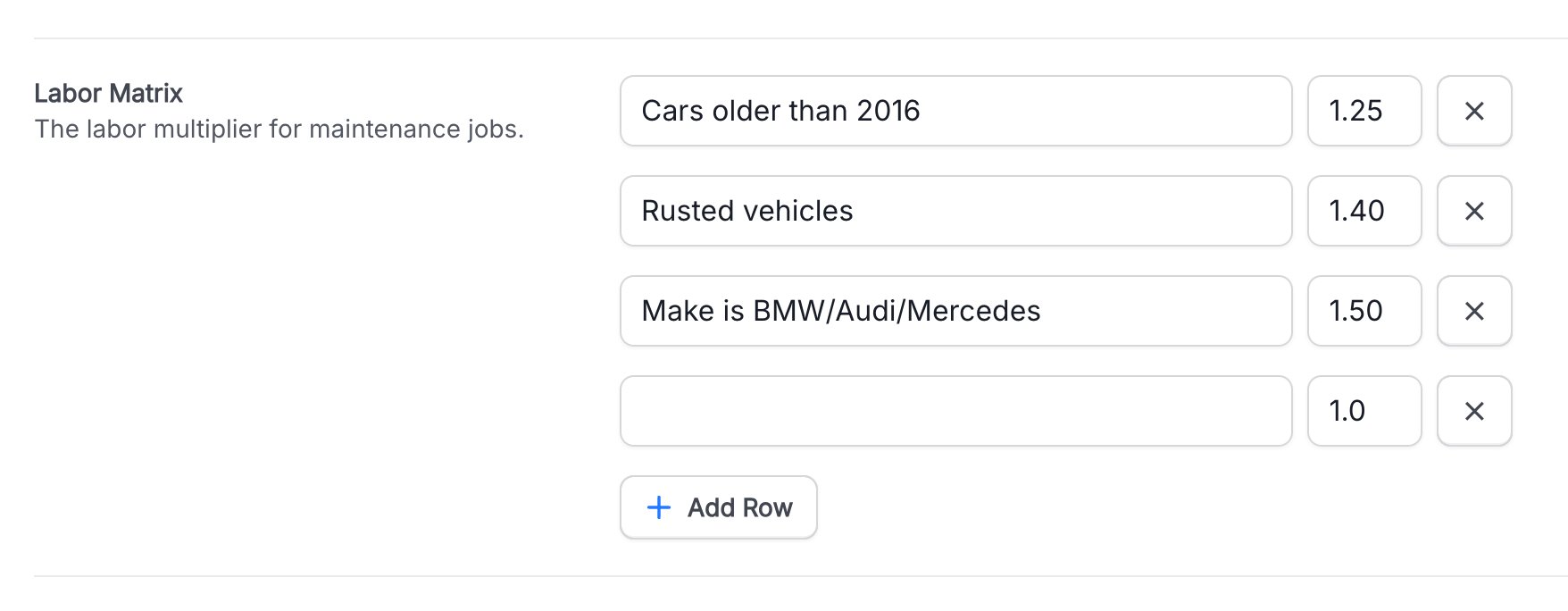
Define labor multipliers for different situations (condition, age, brand, etc). When a service advisor opens a repair order in the Shift extension, they can apply the right multiplier with a single click, to only the applicable jobs — ensuring labor times always reflect the accurate complexity of each job.
Set custom rules: "Cars older than 2005" (1.25×), "Rust Level 1" (1.40×)
Fully configurable — add as many rules as your shop needs
Service advisors apply the multiplier directly from the Shift extension on the RO
Enhanced Severe Maintenance Support New
Severe Maintenance definitions varies by OEM, with most describing "normal" use by the average driver in a lot of regions. Shift now surfaces severe-duty schedules alongside standard intervals, with a simple toggle to switch between the two.
Toggle between normal and severe maintenance schedules per vehicle
Severe jobs are clearly labeled so advisors can explain the difference
Overdue severe services shown with full mileage and urgency context
Part Numbers in RO Audit New
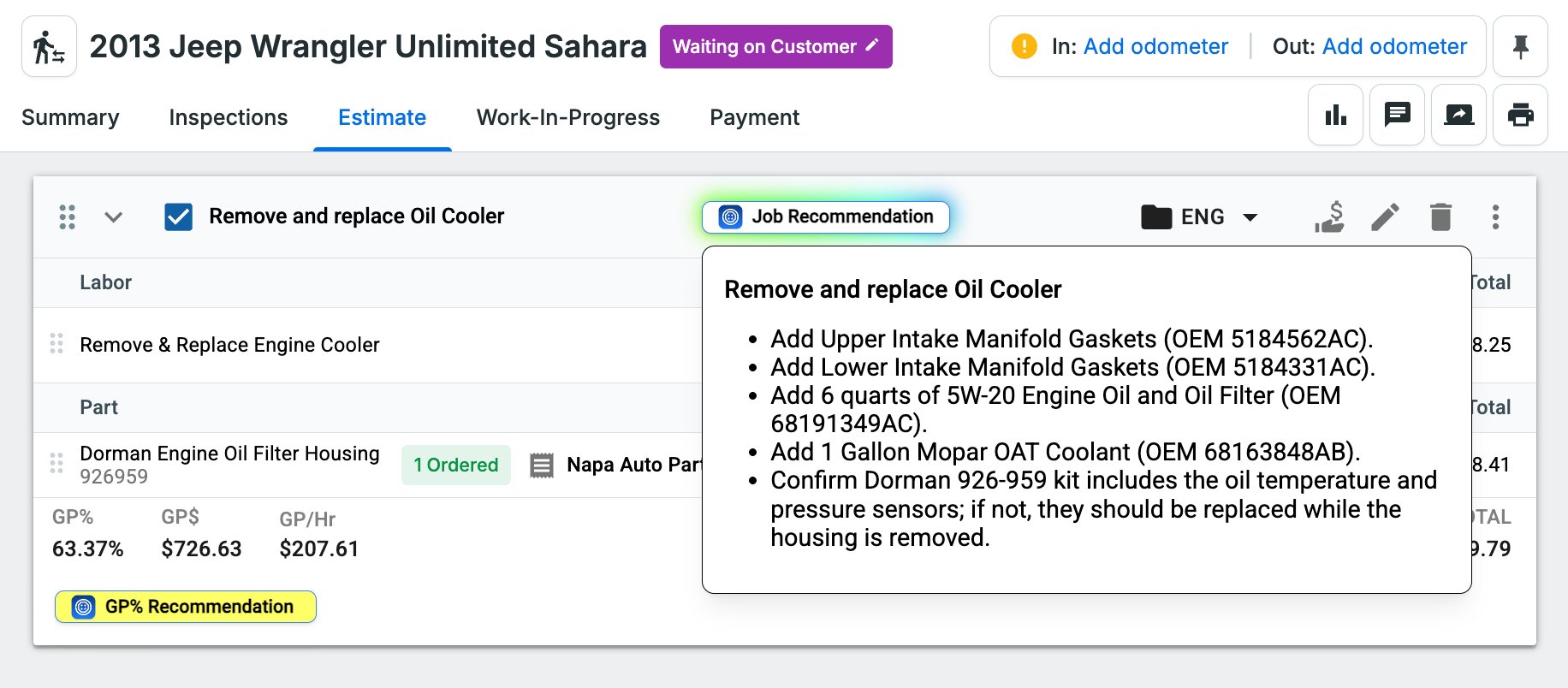
When auditing a repair order, Shift now surfaces the specific OEM part numbers your Estimates are missing — directly inside the Job Recommendation panel.
OEM part numbers called out alongside every relevant job recommendation
Flags parts that need verification before the vehicle is closed out
Cuts comebacks caused by wrong or missing parts before the job is done
Canned Job Mapping New
Map your shop's existing canned jobs to Shift's maintenance recommendations. When Shift flags a service, it adds your pre-built job — parts, labor, and pricing already included.
Connect any canned job to any Shift maintenance recommendation
Your shop's pricing and labor added automatically when a job goes to the RO
Eliminates manual job setup and keeps estimates consistent across your team