For Technicians
For Service Advisors
For Shop Owners
Pricing
Book a Demo →
Product Update
Three new updates. More control, more flexibility, and cleaner workflows.
From canned job mapping to custom notes, this update gives your team better tools to standardize processes and communicate service context. Here's what just shipped.
Map Multiple Canned Jobs to a Single RecommendationNew
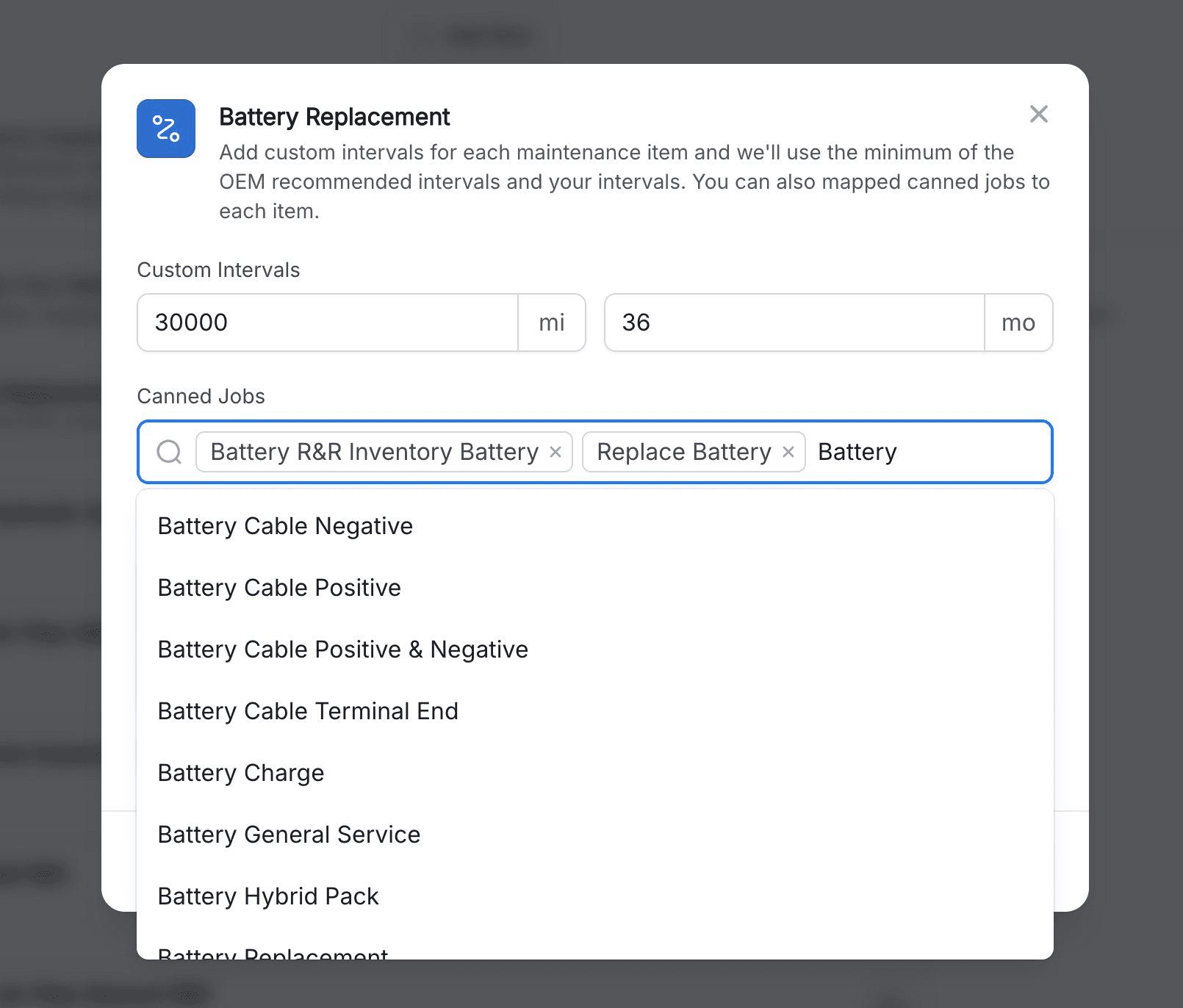
You can now map multiple canned jobs to a single Shift maintenance recommendation. When Shift flags a service, your service advisor can choose which pre-built job fits the vehicle — all parts, labor, and pricing already included.
Connect multiple canned jobs to a single service type.
Service advisor selects the desired maintenance job for the vehicle from the recommendation panel
Handles different part/labor setups or job variations without requiring additional manual work
Keeps estimates consistent and eliminates manual job setup time
In Shift settings — attach as many canned jobs as needed to one recommendation
In Shift Extension — advisor picks the best job for the vehicle when adding to the RO
Custom Notes with Dynamic VariablesNew
Add templated notes to any Maintenance Recommendation personalize them with dynamic variables — name, interval, overdue distance, last serviced date, and more. Shift fills in the values automatically when the job is added to the repair order.
– Write notes once per job type and have them auto-populate each time that service is added.
– Variables include: name, interval, "overdue by", last serviced date, last declined date
– Custom notes are added to the RO so advisors, technicians, and customers have the same context.
– Great for service explanations and customer-facing language.
In Shift settings — click a variable chip to insert it into your note
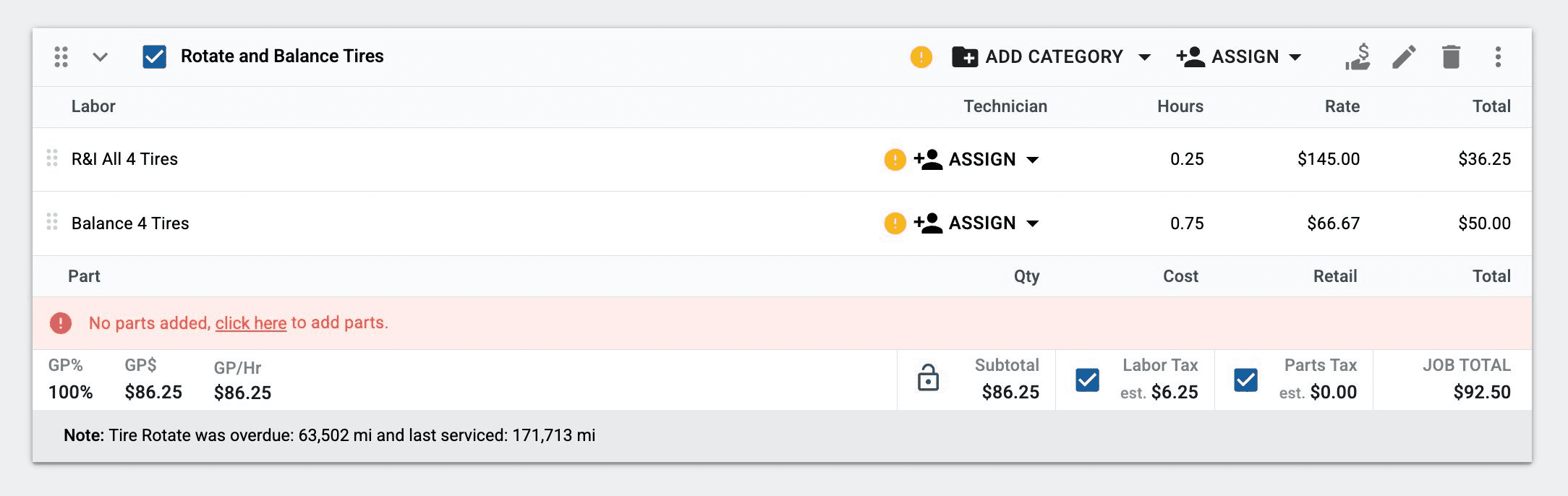
On the RO — variables filled in automatically when added
Redesigned Audit RecommendationsImproved
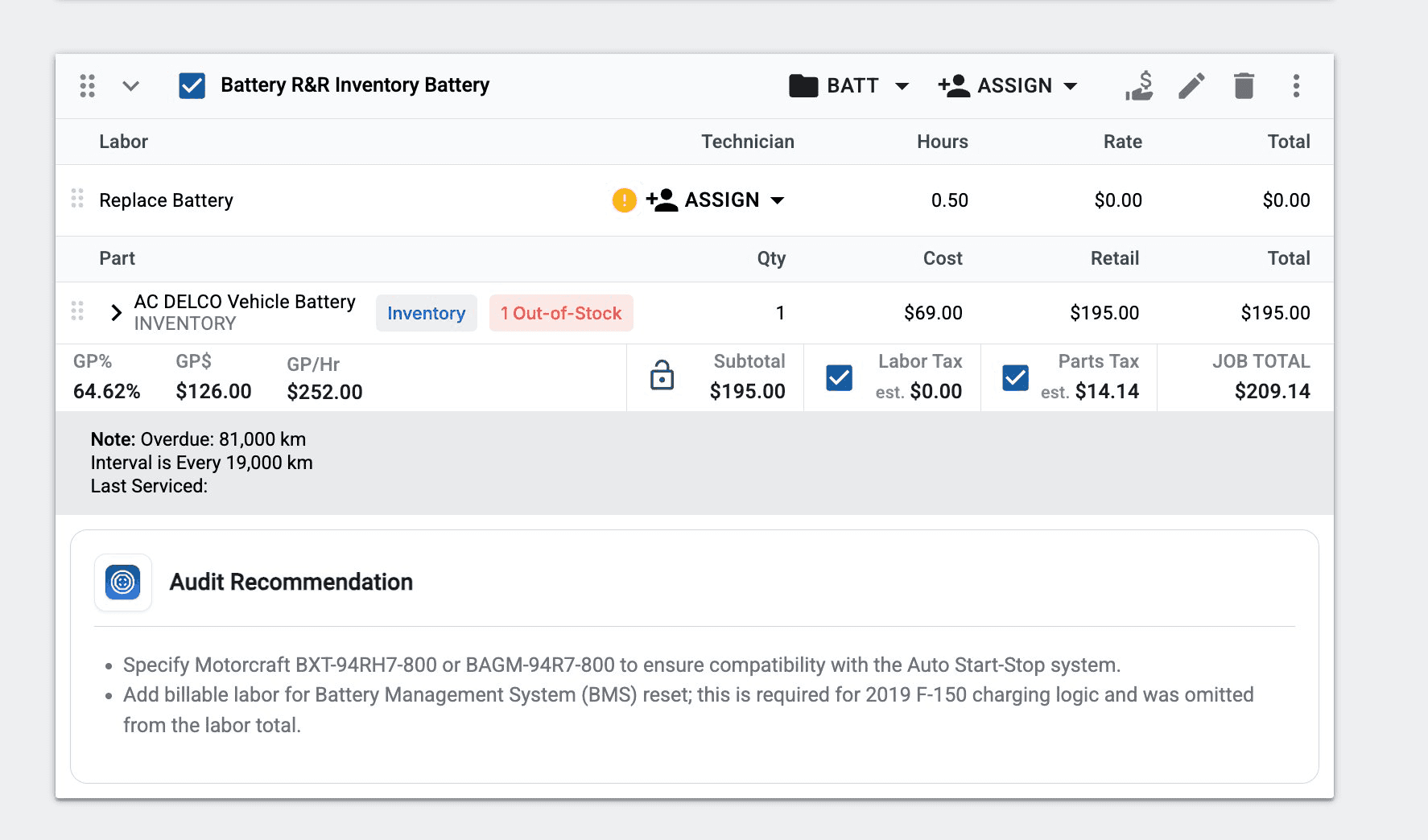
The audit recommendation panel now displays inline directly within the Shift extension — no more modal popups. Recommendations persist next to the RO, making it faster to review audit recommendations and make changes.
– Side-panel layout keeps full context visible while you work
– No need to close windows or lose your place on the RO
– Faster workflow for service advisors reviewing recommendations
– All the same details — just easier to access