For Technicians
For Service Advisors
For Shop Owners
Pricing
Book a Demo →
Product Update
Better concerns, easier approvals, healthier margins.

What's New in Shift: Better Concerns, Easier Approvals, Healthier Margins
Three new features just landed in Shift, and they all point at the same thing: giving service advisors more control over the moments that decide how an RO turns out. The Customer Concerns Builder helps advisors capture cleaner, technician-ready detail at intake. One-click Sell Scripts give them the language to explain a recommendation and hold up against objections. And live GP% badges make margin health visible on the line, while there's still time to do something about it.
Here's a closer look at each.
A guided intake that writes the concern for you
A customer concern usually starts as something vague — "it makes a noise sometimes" — and the gap between that and a technician-ready write-up is where detail gets lost. The new AI Customer Concerns Builder closes that gap.
An advisor types the initial complaint, and Shift takes it from there, asking adaptive follow-up questions with selectable answers until the full picture is captured: symptom, location, trigger, frequency, conditions, and history. It then summarizes everything into a clean, detailed concern the advisor can edit before saving, and writes it straight to the customer concern field on the RO.
It also handles more than one concern in a single session — each saved as its own RO line item — so a multi-issue visit doesn't turn into a wall of notes.
A sell script for any recommendation, in one click
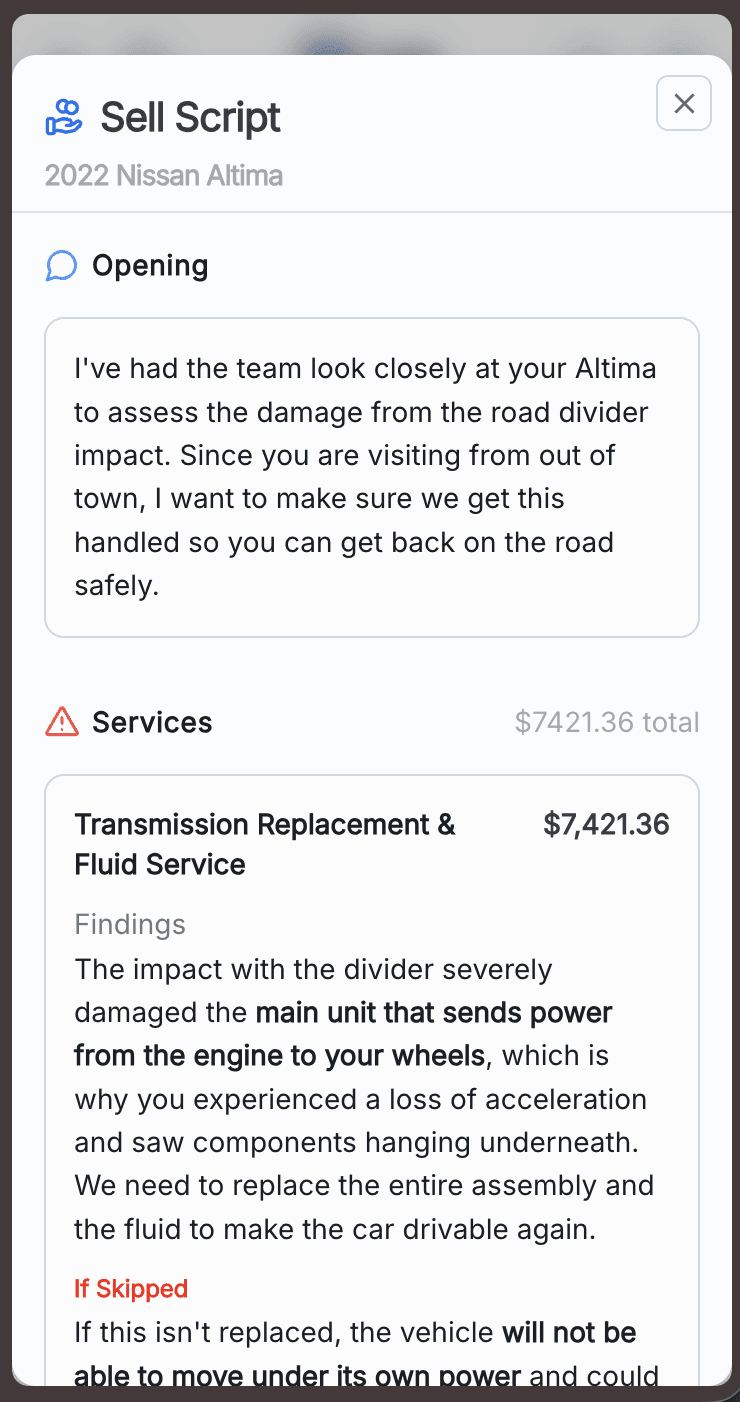
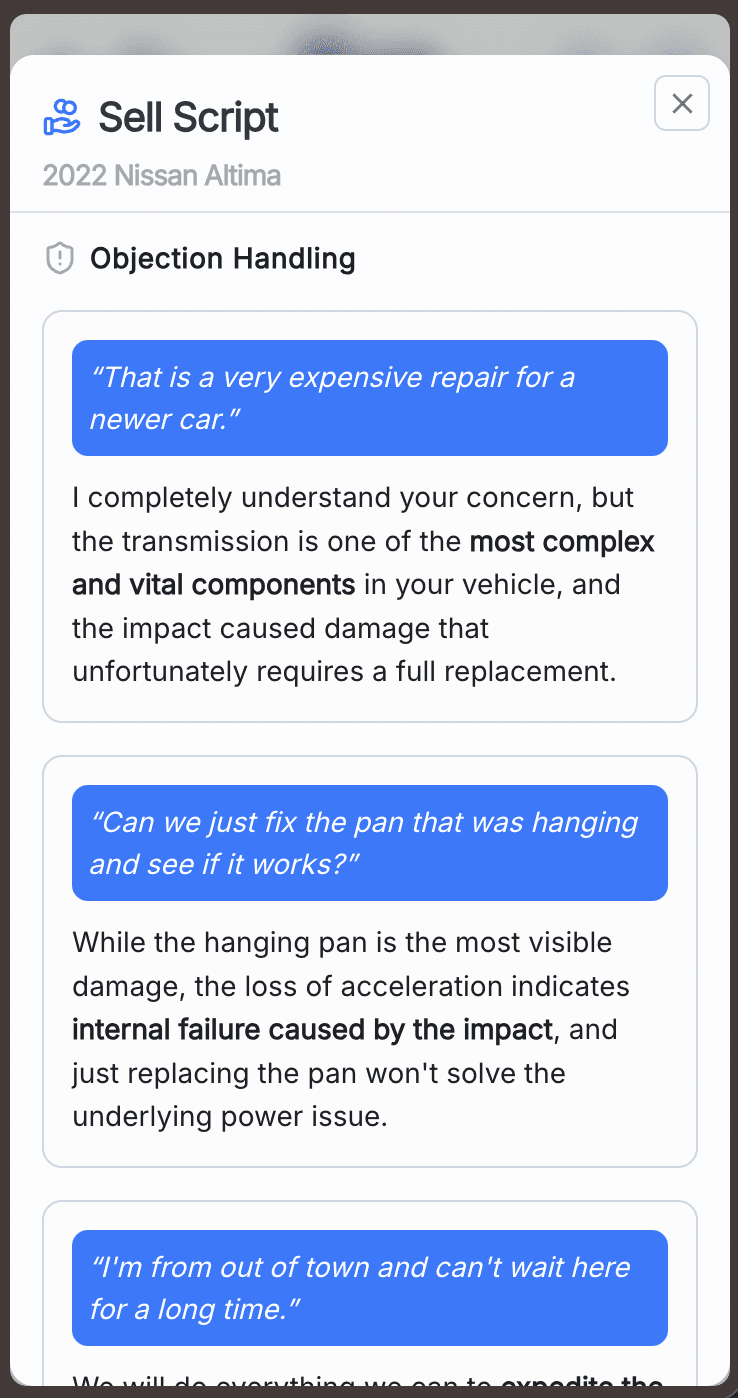
Knowing a service matters and being able to explain it on the spot are two different skills, and the second one is where advisors lose deals. The new one-click Sell Script generates ready-to-use language for any estimated recommendation, built automatically from the full context of the RO and the specific vehicle — no prep, no guesswork.
The script gives advisors clear reasoning for why the service matters, helps them sell with confidence (including against objections), and keeps messaging consistent across the whole service team. Click the sell script button on any maintenance recommendation and it's there.
Margin health, visible on the line
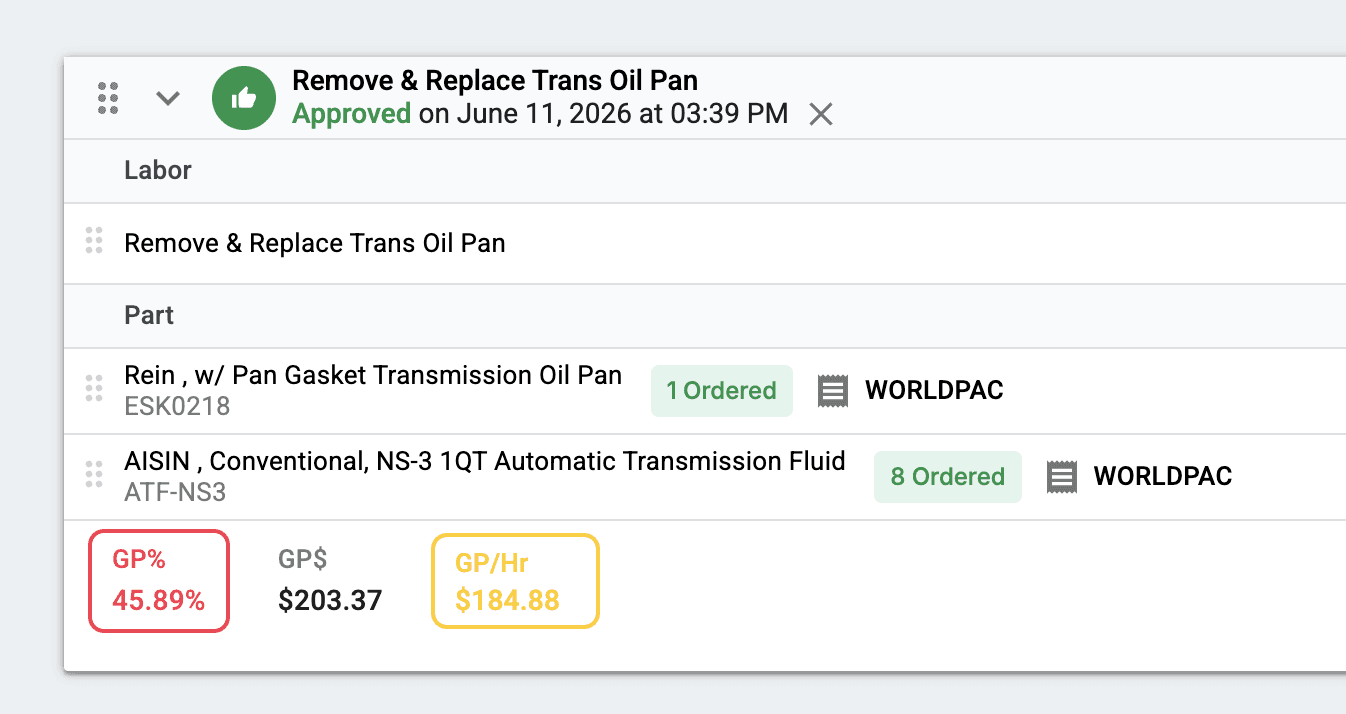
Margin problems are easy to catch in a report after the RO closes, which is exactly too late. The new live GP% badges put that information where the work happens: directly on each line item, color-coded against your shop's own thresholds.
Green, yellow, and red badges reflect the GP% targets you configure per shop in the Shift settings panel, and they update in real time as the advisor builds out the RO — across parts, labor, and sublets. The point is to surface a margin problem while it's still fixable, not after the fact.
Try them on your next RO
All three features are live in your extension today. Refresh the extension and try them the next time you build an RO.